Moving Mining Technology and Equipment from Paper to Digital
Moving mining equipment inspections from paper to digital means replacing clipboards, carbon-copy pre-start books and spreadsheet re-keying with a mobile inspection app. Operators and inspectors record results, photos and defects on a phone or tablet at the machine, and those results reach maintenance, supervisors and the asset's history straight away.
For most mine sites, it is one of the hardest transitions to make. Paper is familiar, it never needs charging, and the forms have been in place for years. Yet the gap between paper and digital has become wide enough that staying on paper now carries a real cost in time, visibility and compliance.
Why Paper Still Holds Mining Operations Back
Many mining organisations still run safety inspections, pre-start checks and quality assurance on dated methods. The forms work, up to a point. The trouble is everything that happens around them.
- Changes are slow to roll out. When a procedure or regulatory requirement changes, printing and distributing a new paper checklist to every site, crib room and vehicle can take days, weeks or even months.
- Data gets entered twice. Someone has to read each completed form and type it into a maintenance or safety system. It is costly, slow and a common source of transcription errors.
- Defects sit in a pile. A failed brake check written on paper reaches maintenance only when the form does, often at the end of a shift.
- History is hard to find. When an auditor or investigator asks for a machine's last six months of inspections, someone goes searching through filing boxes.

Mining often moves at the pace of its regulators or its equipment suppliers. Sites that get ahead of that curve, rather than waiting for it, are the ones that set the standard for everyone else.
Speed: The Biggest Difference Between Paper and Digital
The clearest difference between paper-based inspection and a digital application is speed, and it shows up at every step, not only while the checklist is being filled in.
In the field, inspectors capture a photo instead of writing a description, scan a barcode or RFID tag to identify the asset, and answer standardised responses instead of free text. Once the inspection is complete, it syncs to the central database. At the same moment, maintenance and management can be notified whether the inspection passed or failed and what action is needed. The report is filed against that piece of equipment automatically and becomes part of its permanent history.
Work that took hours, sometimes days, by hand happens in seconds. Before the inspector has walked back to their vehicle, everyone who needs that report can already see it, and nobody has to key it in a second time.
Paper vs Digital Inspections at a Glance
| Task | Paper | Digital |
|---|---|---|
| Identifying the asset | Fleet number written by hand | Barcode or RFID scan |
| Recording a defect | Written note | Photo, comment and severity rating |
| Alerting maintenance | When the form is handed in | Automatic notification on sync |
| Updating the checklist | Reprint and redistribute | Publish once to every device |
| Finding past inspections | Search filing boxes | Search the asset's history |
Keeping Checklists in Step with Regulations
The second big advantage is customisation. A digital checklist can be changed once and published to every device on every site the same day, so crews are never working from an out-of-date form.
That matters in mining, where the rules vary by state. NSW mines operate under the Work Health and Safety (Mines and Petroleum Sites) Regulation 2022, Queensland under the Coal Mining Safety and Health Act 1999 and the Mining and Quarrying Safety and Health Act 1999, and Western Australia under the Work Health and Safety (Mines) Regulations 2022. Under the WHS framework, the person with management or control of plant must ensure it is maintained, inspected and tested by a competent person, in line with the manufacturer's recommendations. Inspection intervals and record-keeping expectations differ between regulators, so check the requirements that apply to each of your sites.
Equipment standards can be built straight into the checklist too. For example, the condition of roll-over and falling-object protective structures on earthmoving machinery (the AS 2294 series) can become a mandatory item with a required photo, so it is never skipped or ticked without evidence. A digital inspection platform also records who did each inspection, when and where, which gives you a clean audit trail without extra paperwork.
Which Mining Equipment to Digitise First
Not every inspection needs to move on day one. Start where the volume is highest and the safety risk is greatest:
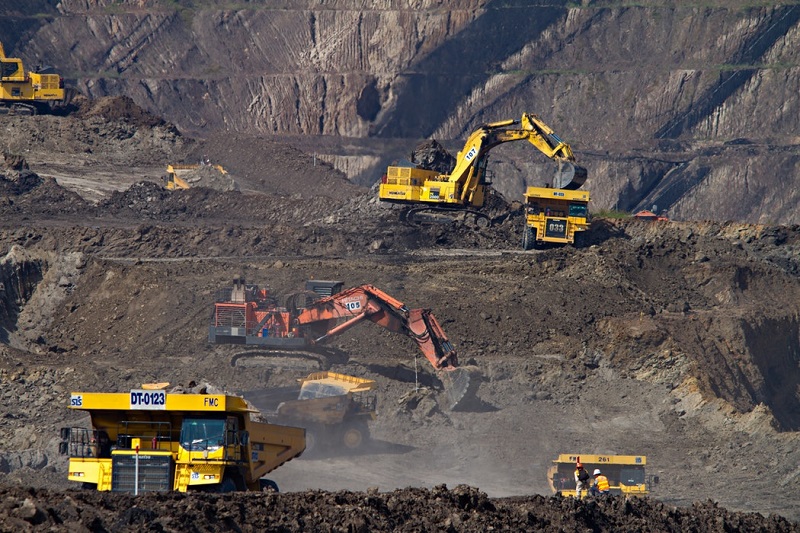
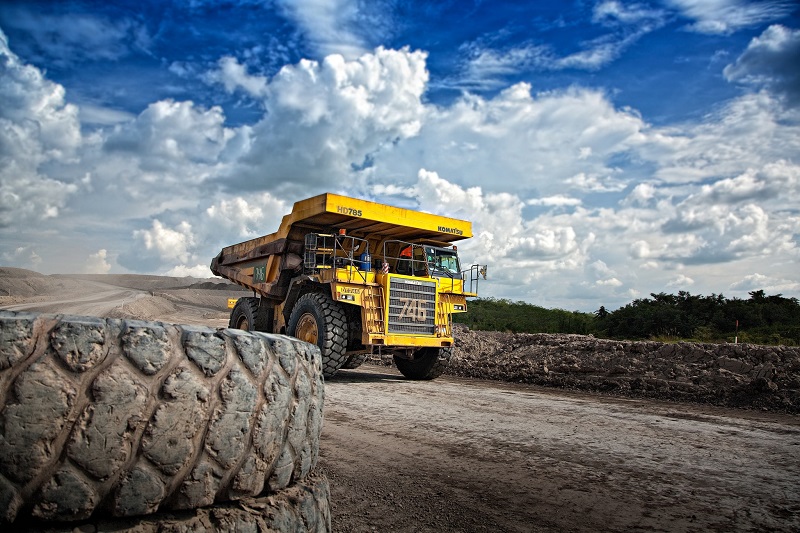
- Mobile plant pre-starts: haul trucks, loaders, excavators, dozers and graders, inspected every shift.
- Light vehicles: utes and personnel carriers that move between pits, workshops and camps.
- Fixed plant: conveyors, crushers, screens and pumps, where missed defects lead to unplanned downtime.
- Lifting equipment: cranes, hoists, slings and shackles with set inspection intervals.
- Emergency equipment: fire suppression systems, extinguishers, refuge chambers and self-rescuers.
See how other operations have approached this on our mining inspection software page.
Working Offline Underground and in Remote Pits
The most common objection to going digital in mining is connectivity. Underground headings, deep pits and remote haul roads often have no signal at all. That is why the app needs to be a native offline application, not a web form. Inspectors complete the full checklist with photos and signatures without a connection, and everything syncs automatically once the device is back in range.
How to Make the Move from Paper to Digital
- Start with one high-volume inspection. Daily pre-starts are usually the best candidate, since they produce the most paper and the most re-keying.
- Convert your existing forms first. Rebuild the checklists crews already know, then improve them once the app is in use.
- Tag your assets. Add barcodes or RFID tags so every inspection is linked to the right machine.
- Connect defects to maintenance. Route failed items into work orders or your ERP, such as SAP or Oracle, so nothing waits for a form to be handed in.
- Retire the paper. Once crews are confident, remove the paper books so there is one source of truth.
Frequently Asked Questions
What does moving mining equipment from paper to digital involve?
It means replacing paper checklists, pre-start books and logbooks with a mobile inspection app. Operators record results, photos and defects at the machine, results sync to a central system, maintenance is notified of failures automatically, and each report is filed against the asset's history.
Do digital inspection apps work underground without internet?
A native offline app does. Inspectors complete full checklists, including photos and signatures, with no connection, and the data syncs automatically once the device is back in network range. Web-based forms that need a live connection are not suited to most mine sites.
Which mining inspections should be digitised first?
Start with daily pre-start checks on mobile plant such as haul trucks, loaders and excavators. They have the highest volume and the most re-keying, so they deliver the fastest return. Fixed plant, lifting equipment and emergency equipment inspections can follow.
Are digital inspection records accepted for compliance in Australia?
Australian WHS laws focus on whether inspections are done by a competent person and properly recorded, not on whether the record is paper or electronic. Digital records with timestamps, user details, photos and an audit trail are generally easier to produce for an inspector or auditor. Requirements vary by state regulator, so confirm the specifics for each site.
Naaman Shibi is a VP at Pervidi Software, leading the adoption of AI-powered inspection and compliance solutions across industries including mining and construction. With more than 25 years of experience in digital transformation, Naaman has helped organisations replace paper processes with efficient mobile technology. His focus is on delivering practical innovations, from AI image integration to predictive maintenance, that empower frontline teams and improve operational outcomes.
Ready to take your mine's equipment inspections off paper?
See your existing pre-start and equipment checklists running offline on a tablet, with failed items sent straight to maintenance.
Book a Demo